
This article covers the best practices associated with displaying HTML pages on digital signage displays. With its Webpage layer feature, SpinetiX ARYA allows you to display HTML content (webpages) as part of your digital signage content.
Select a topic to learn more:
Hardware Requirements
SpinetiX HMP400 and HMP400W players are compatible with SpinetiX ARYA’s Webpage layer feature. Players of previous generations like the HMP350 and HMP300 do not support this feature.
HTML evolves continuously, bringing new and more advanced features and providing the ability to create ever more dynamic and interactive webpages and web applications. This means that the amount of hardware resources like memory and CPU processing power required to render a piece of HTML-based content will vary greatly based on what you are trying to display.
The design of commercial-grade digital signage players dedicated to reliably deliver screen content 24/7, requires a fanless, sealed construction with no mechanical parts that can fail. This naturally limits the types of CPUs employed in professional signage systems which are often less powerful than their PC counterparts.
The more HTML content evolves, the larger the gap between the resources required to process the most advanced content and what a purpose-built digital signage player is able to render.
Video
The Webpage layer feature in SpinetiX ARYA enables you to display HTML video at 30 frames per second up to 4K in resolution and from online platforms such as YouTube and Vimeo. For this purpose, you need to have access to the properly formed URL address of the video. To learn more about how to display HTML video, see this article.
Previewing HTML Content in SpinetiX ARYA
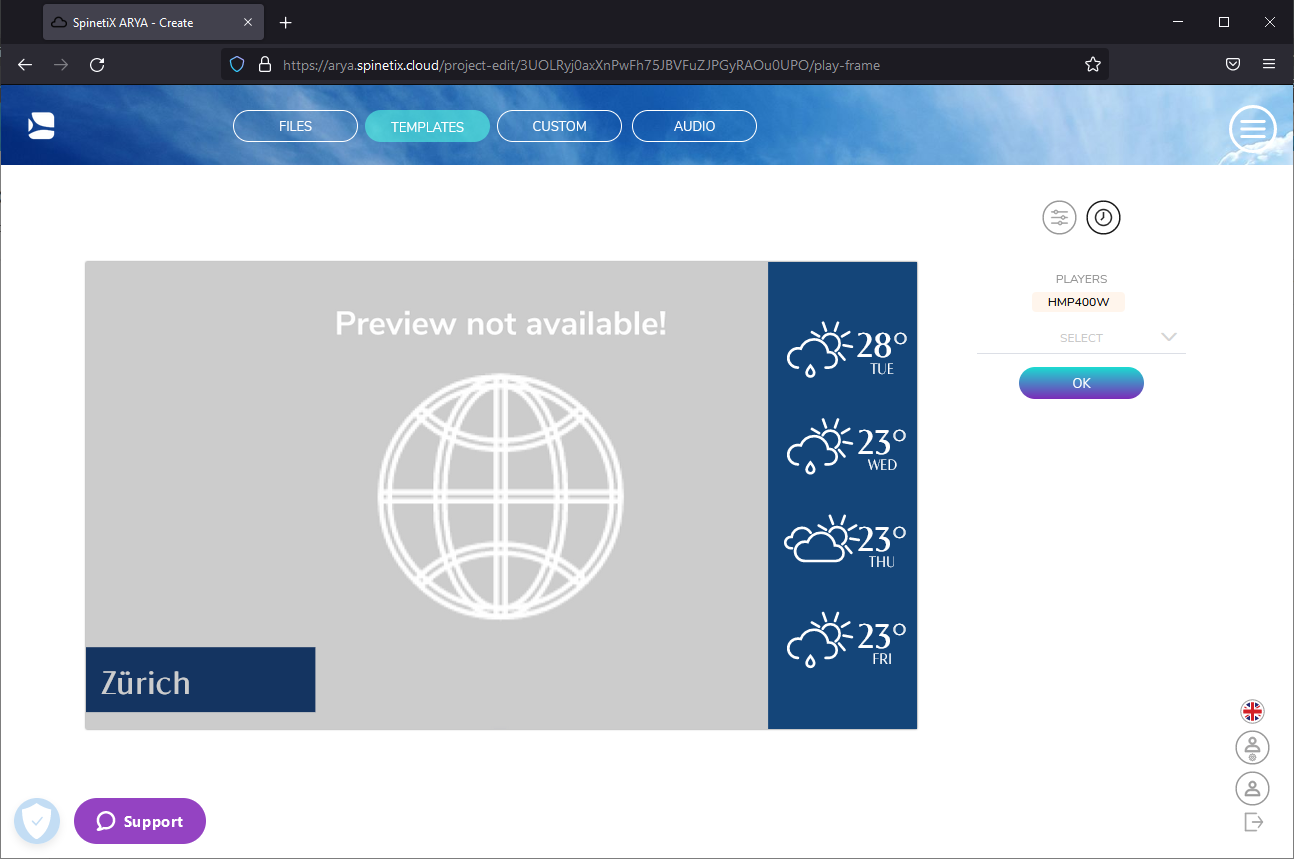
Previewing webpages in SpinetiX ARYA is not possible due to the security settings of most webpages restricting this capability. When adding a Webpage layer to your content, SpinetiX ARYA will, therefore, only display a placeholder as seen below. For optimal results, please ensure to always test your screen content before releasing it for public consumption.
Testing your Content on Display
Always visually inspect the HTML content you use as part of your projects before releasing it to your audience. If you chose to display a webpage that is especially heavy in content (e.g., contains a lot of animations or a lot of unique elements that require loading), we advise you to lengthen the duration of the project where the webpage appears to allow the needed time for the entire page to load and display.
You can test your content with the help of a test player and display or via using SpinetiX ARYA’s Live View feature without the need for a test display.
Adapting your HTML Content for Any Screen Size
Modern websites are often responsive, meaning they accommodate their content to properly display on a wide variety of computer monitors and mobile devices, but typically not for digital signage displays with higher resolutions (4K, 8K, etc.). SpinetiX ARYA allows you to declare a specified width to the webpage you want to display. If the website was developed to be responsive in the specified width, it will display in that width. This helps you to match your webpage content to best fit your display's resolution.
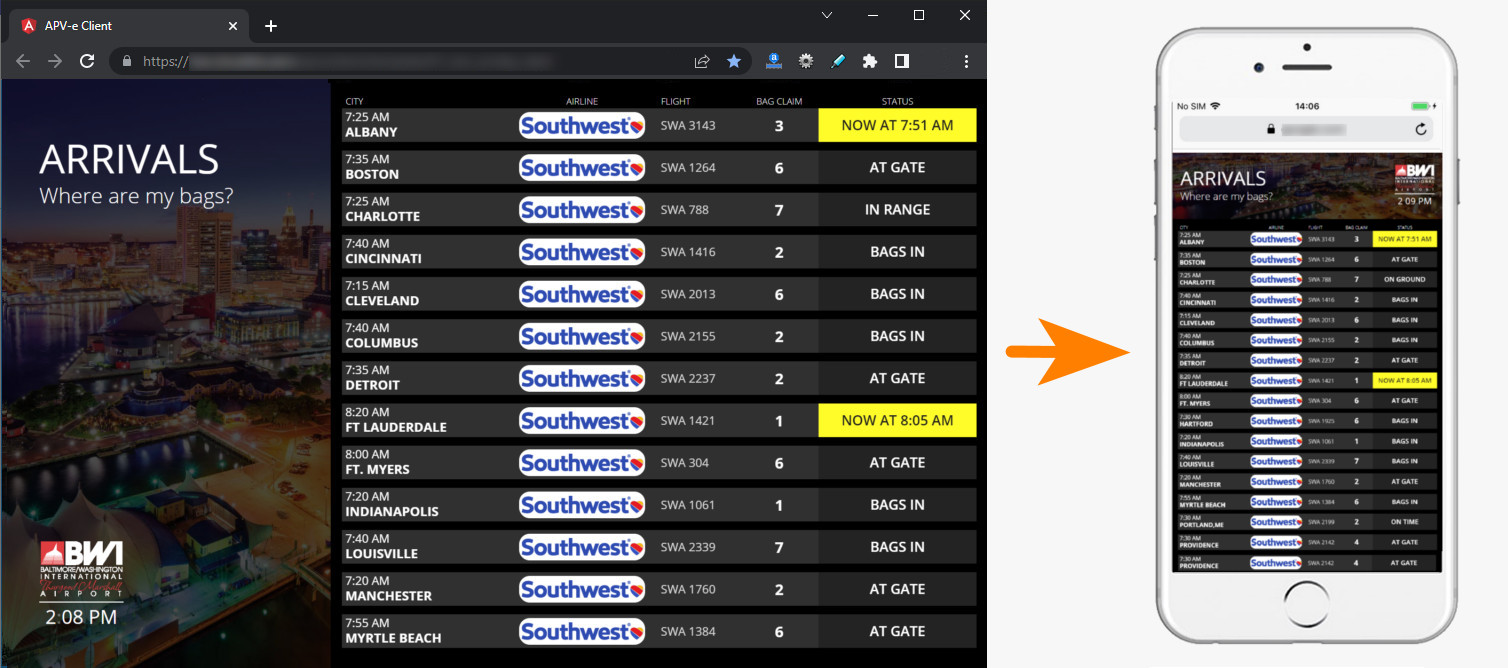
Notice that while the content remains the same, what you see on different screen sizes varies.
In simple terms, changing the HTML Content Width gives you a similar effect as zooming in on or out of a webpage on a browser.
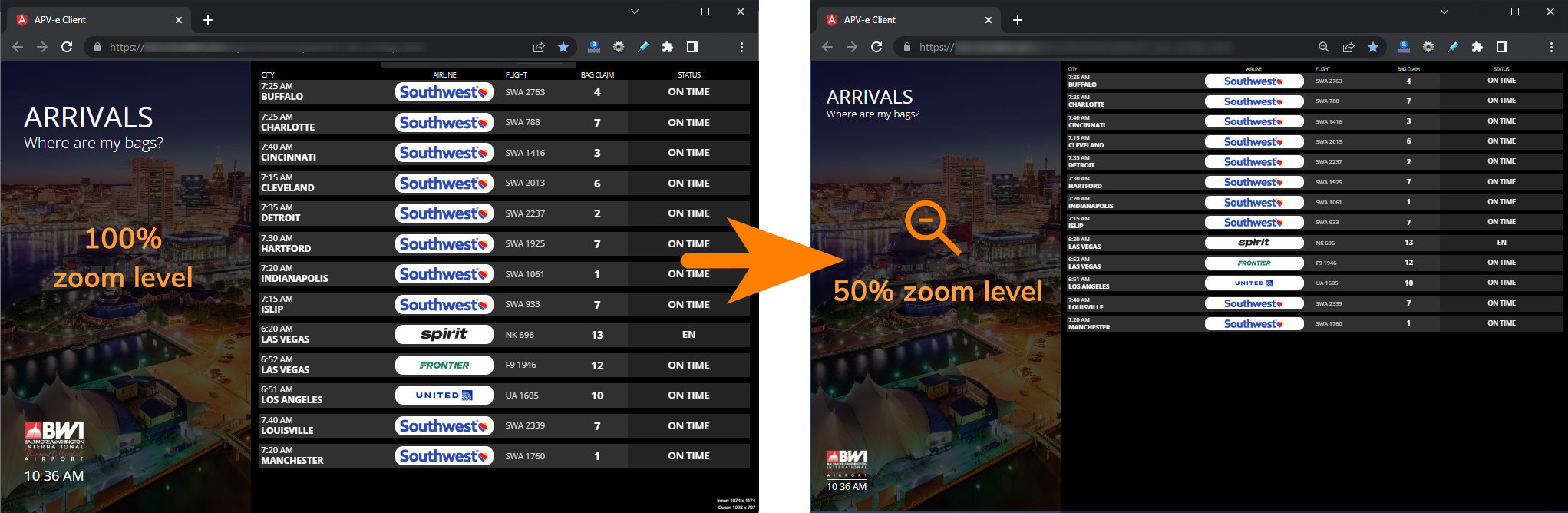
For step-by-step instructions on how to adjust the HTML content width of your Webpage layer in SpinetiX ARYA, please refer to this article: How to show a webpage on your digital signage display.
Focusing on a Piece of Content Within an HTML Page
SpinetiX ARYA is compatible with HTML anchor links which you can use to focus your Webpage layer on a particular scroll position of a webpage.
Anchor links are modified versions of the page URL that are used to vertically jump to specific places within an HTML page – on top of the page, on bottom of page or on a specified title.
A typical anchor link URL contains a hashtag fragment and looks like this:
https://www.spinetix.com/arya#bottom
For an anchor link to work, an anchor with the same name should be already predefined within the page using the ‘id’ attribute that acts as a reference point. An anchor within an HTML page looks like this:
<h1 id="bottom">Title</h1>
Content Requiring Authentication
With SpinetiX ARYA, you can’t display HTML content that is not publicly accessible, for example, is behind an authentication form and requires credentials will not be displayed, unless you manually enter the credentials every time your screen content appears on display. Therefore, as part of the content you create with SpinetiX ARYA, we recommend integrating only HTML content that is publicly accessible or protected with an authentication scheme suitable for use with unattended operation such as an API key.
Interactive Content for Touch Displays
HTML content that contains touch- or other ways of interacting with it is not supported by SpinetiX ARYA. Such content will, nevertheless, likely still be shown on the player.
Displaying Copyrighted Material
The nature of signage mandates that the content you display on a digital screen is destined for public consumption or, at the very least, is used fundamentally differently from opening a webpage on a PC browser in a private setting. It goes without saying that you must ensure you have the proper right to disseminate any copyrighted material via your digital signage display(s).
Comments
0 comments
Please sign in to leave a comment.